Side-by-side comparison
Line up several references and zoom in on all of them at once.
Asset management for iPad
Save images and videos from Safari, Photos, or any app in one tap. Organize them with folders, tags, and boards, and open them whenever you draw.
App Store badge
Share what you love to save it, and find it the moment you sit down to draw.
Tap Share in any app and choose Martrix to pick folders and add tags on the spot. Share a web page to save its preview image.
Nested folders, tags, ratings, and notes. Put one image in as many folders as you like — it’s stored only once on your device.
Arrange references freely on a board, or keep Martrix beside your drawing app in Split View.
More than a place to save images. Martrix includes the reference tools you actually use while drawing.
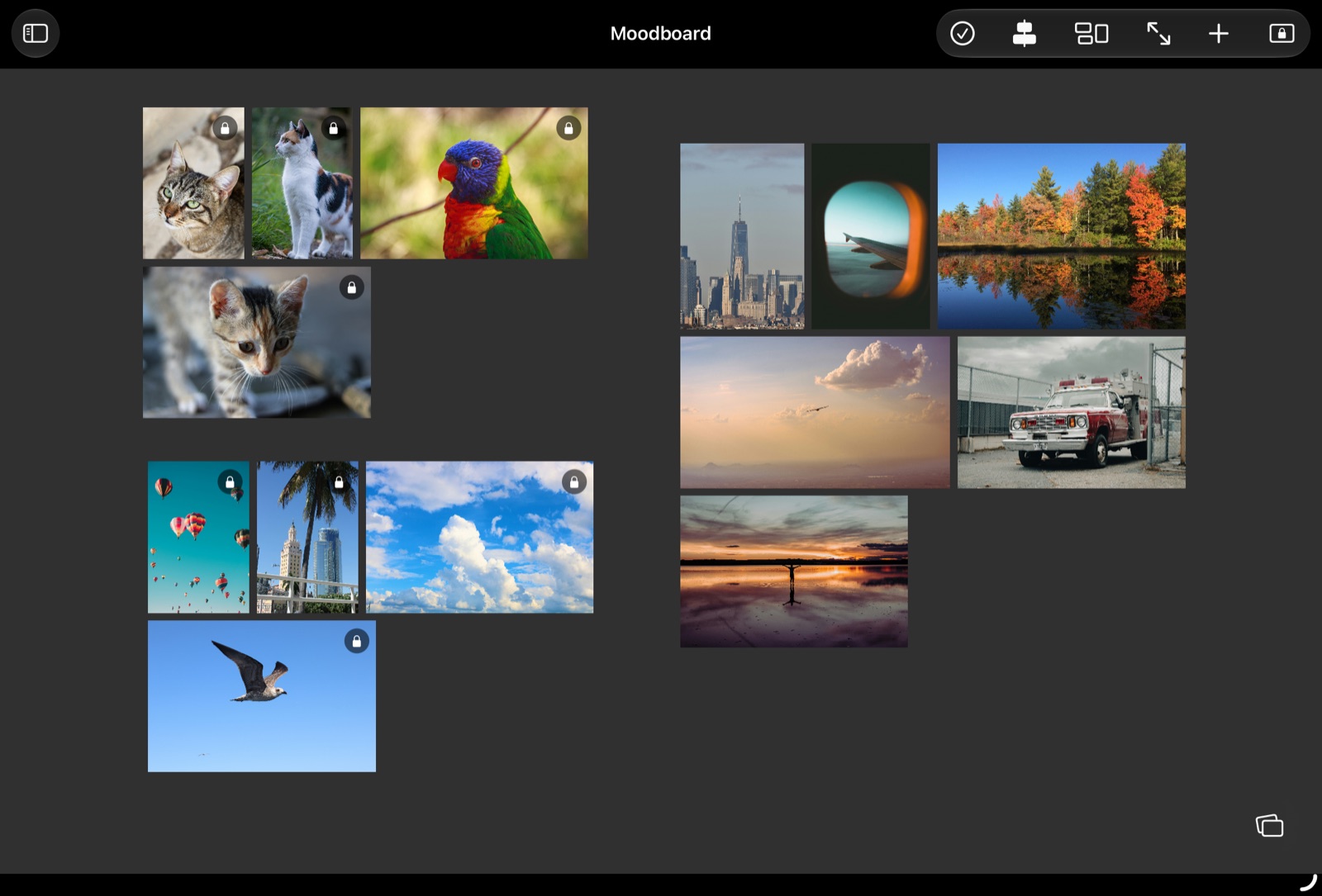
Place, resize, and flip images freely to build a mood board for each piece you work on.
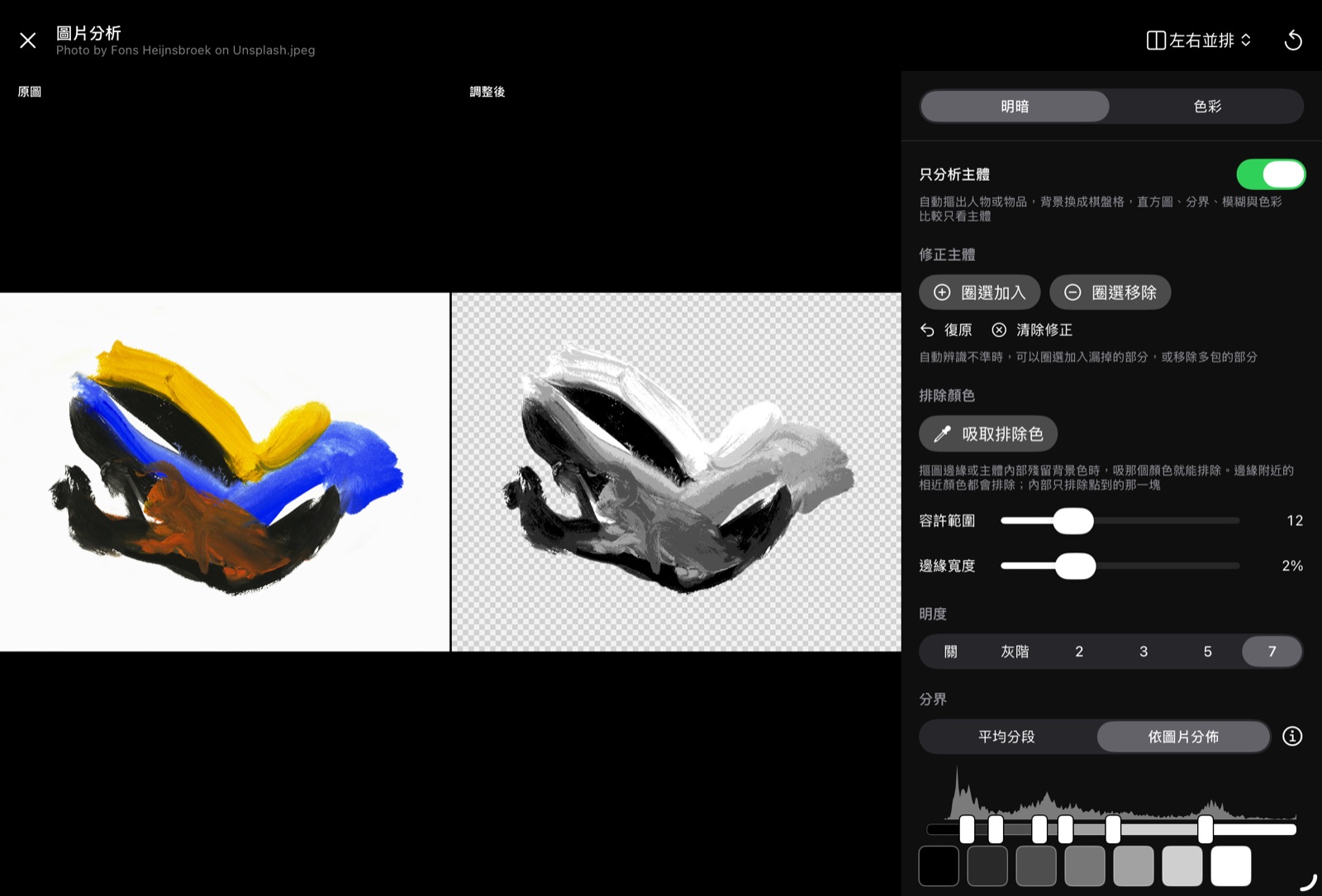
Turn an image into grayscale or split it into 2, 3, 5, or 7 values, side by side with the original, to see exactly how the light falls.
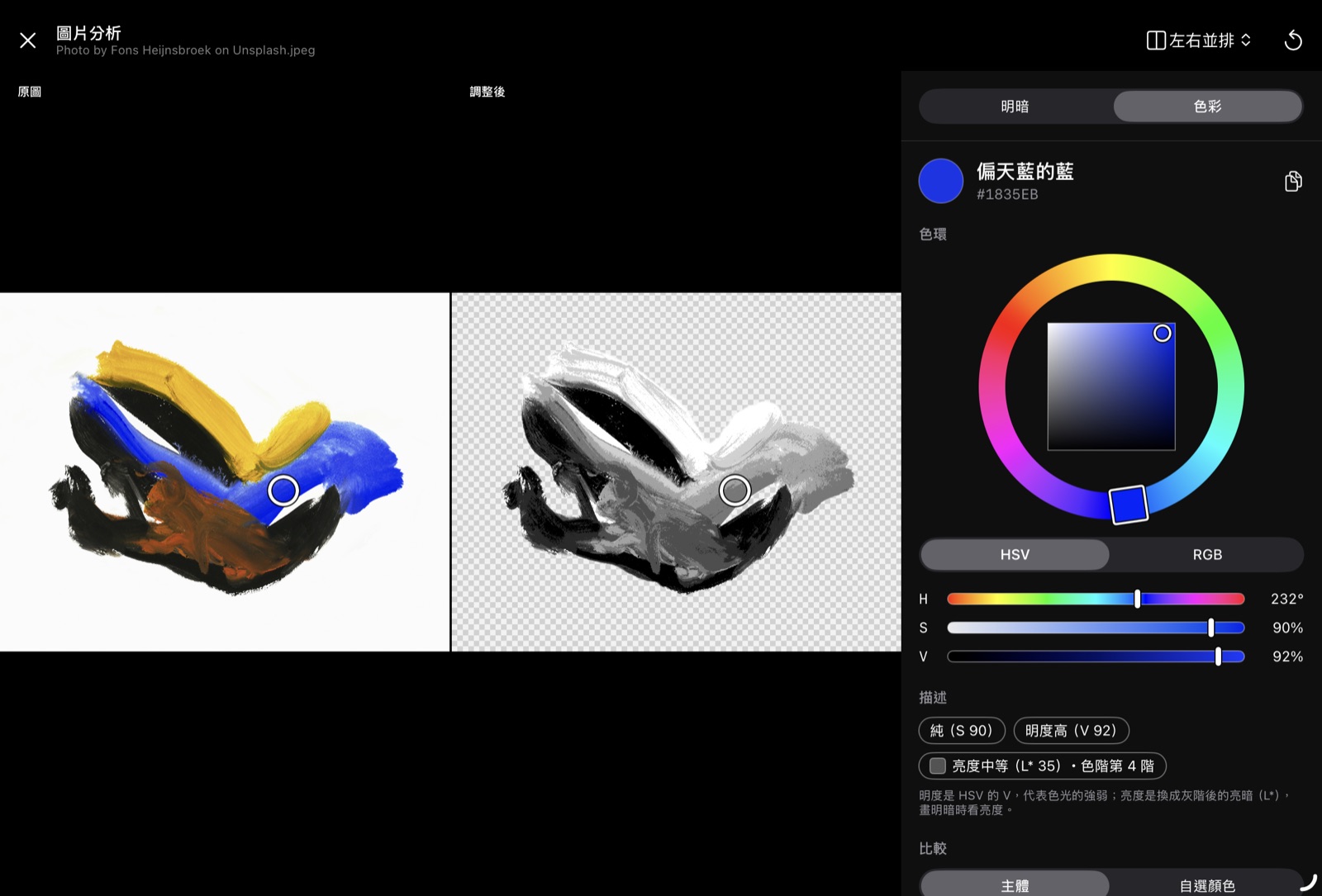
Pick a color with the eyedropper to see where it sits on the color wheel, read its HSV and RGB values, and get a plain-language description of it.
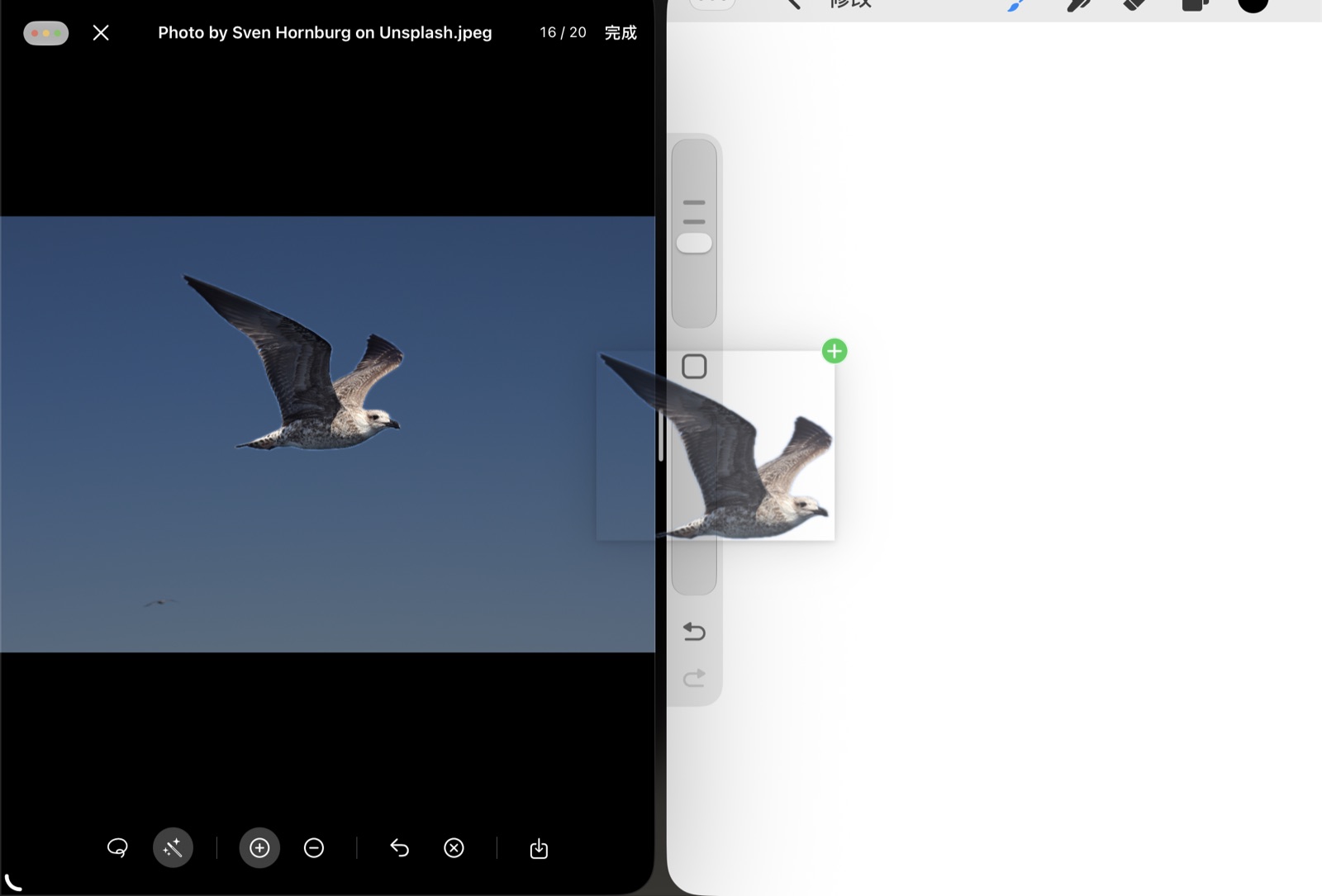
Select any part of an image with the Lasso or Magic Wand, then drag it into another app or save it as a new asset.
Line up several references and zoom in on all of them at once.
Rest your palm freely while Martrix sits beside your drawing app.
Collect videos and 3D models, not just images.
Keep work and personal collections separate.
Export a whole library as one package and move it to a new iPad intact.
Bring the libraries you’ve organized on your computer straight to iPad.
Draw guides and circle details on a reference. Annotations are kept separate from the original.
Save images, videos, or links to a chosen folder right from the Shortcuts app.
Martrix never uploads your assets and has no tracking or ads. See the Privacy Policy for details.